Six levels. One clear path.

At our Bridgewater center, students build, test, debug and explain, with hands-on robotics. Each child starts at the level that fits them, and new students join every month.

Learning online instead? LIVE Online has its own curriculum.

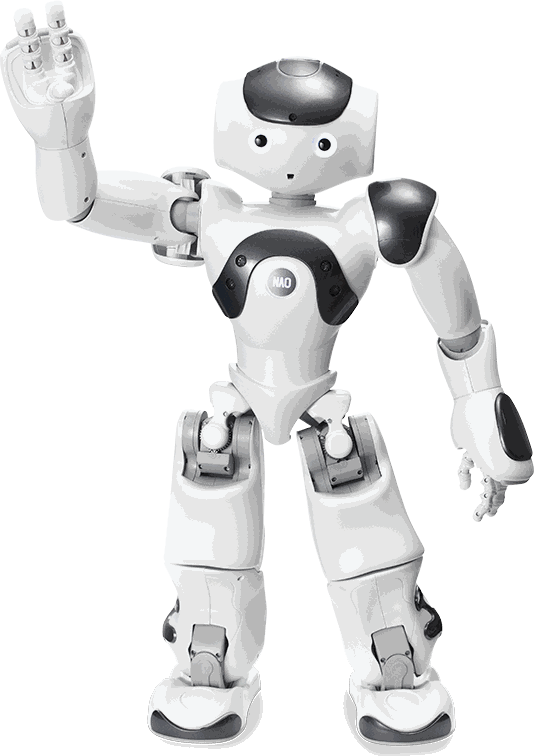
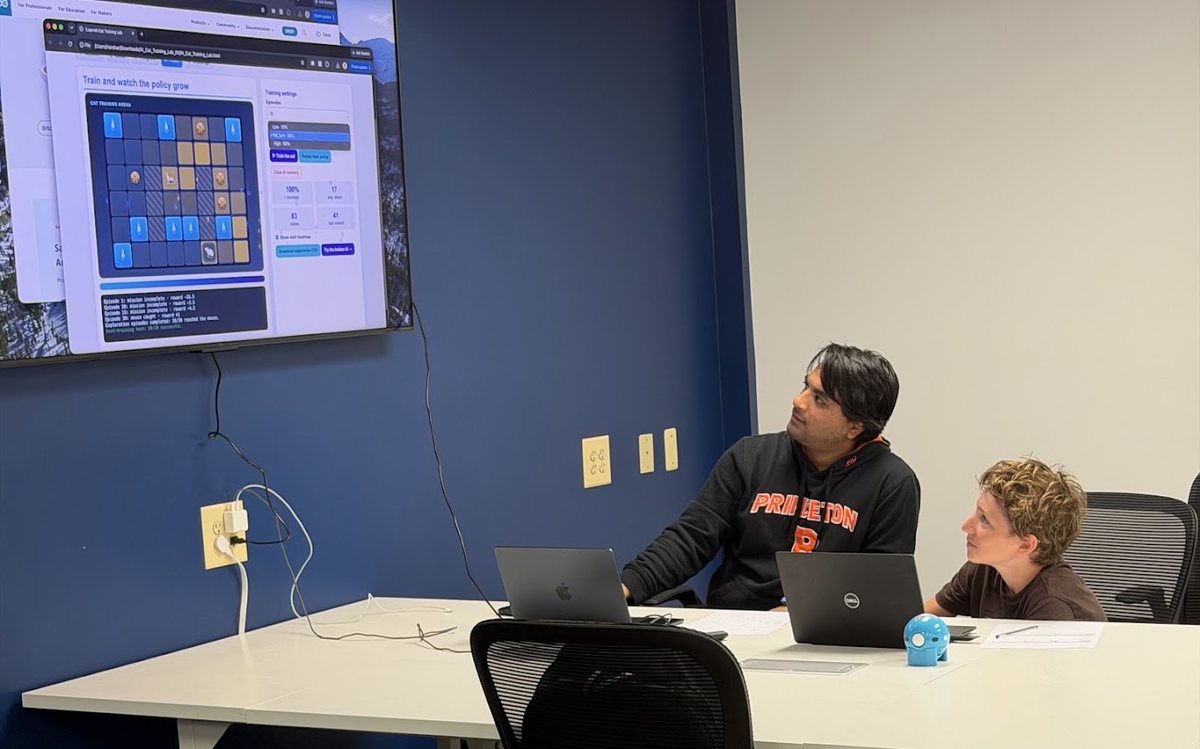
An instructor and student watching an AI model learn a task on the classroom screenA NAO humanoid robot waving
  • 6 levels, Grades 1–12
  • Hands-on robotics
  • Placed by skill, not just grade
  • New students join every month

Three programs, six levels.

Each program covers two levels. A level is about 36 weeks of classes in four units, counted from the month your child starts, not from September.

No one-size-fits-all.

Every student is different. Grade is only a starting point: we place each child by their experience and abilities, so they start where they can succeed.

New to coding in high school?

A high school student with no coding, robotics or tech experience may start at the middle school level, then move up as they're ready.

Already ahead in middle school?

An advanced middle school student may move faster and continue into the high school curriculum.

No experience needed and nothing to study beforehand. After the two free classes, we recommend a starting level.

The level details below use terms students learn in class. Your child doesn't need to know any of them to start.

AI Explorers

Grades 1–4 · Levels 1 and 2

Try 2 classes free
Level 1Usually Grades 1–2

AI Explorer & Creative Coder

Level goal: Give precise instructions, use loops and simple choices, debug their work, build an interactive project, and explain that AI learns from examples and can make mistakes.

What students learn

  • Sequence tasks and break them into clear steps.
  • Use events, loops and simple if-then logic.
  • Predict, run, notice a mismatch and try fixes.
  • Identify input, rules (processing) and output.
  • Explain how examples shape what AI learns, and why AI can be wrong.
  • Build an original project, test it with another person, improve it and present it.

Typical tools

ScratchJrScratchCode.org / BlocklyTeachable Machine (guided)Quick, Draw! (guided)Simple floor robots, where available

Level roadmap Four units, about nine weeks each

Unit 1First Builder WinProject: Interactive maze, story or robot routeSkills: Sequence, loops and debugging
Unit 2Smart SystemsProject: Smart character or sensing challengeSkills: Inputs, conditions and AI examples
Unit 3Creative ProductProject: Game or helper for another personSkills: Variables and user testing
Unit 4Capstone & ShowcaseProject: AI helper, story, game or robot missionSkills: Independent build and explanation
Level 2Usually Grades 3–4

AI Builder & Model Trainer

Level goal: Build games with variables and reusable blocks, train and test image, sound or pose models, improve a model by improving its data, connect AI to a project, and explain why AI can fail or be unfair.

What students learn

  • Build original Scratch programs with loops, events, conditions and variables.
  • Collect and label training examples.
  • Keep unseen examples aside for testing.
  • Measure performance with a simple tally or percentage, and spot failure patterns.
  • Improve the data or code and compare before and after.
  • Connect a trained model to an interactive project.
  • Compare rule-based chatbots with language models, and test prompts.
  • Discuss fairness, privacy and safe data collection.

Typical tools

Scratch 3Teachable MachineMachine Learning for KidsWebcam and microphoneRobotics or micro:bit extensions, where useful

Level roadmap Four units, about nine weeks each

Unit 1Coding + First ModelProject: Smart game with a trained modelSkills: Scratch fluency and a first classifier
Unit 2Better Data, Better AIProject: Waste, sound or pose classifierSkills: Data quality and measurable improvement
Unit 3AI Product ThinkingProject: AI helper or interactive data projectSkills: Chatbots, prompting and user needs
Unit 4Capstone & ShowcaseProject: Student-choice AI-powered productSkills: Putting it all together, and responsible AI

AI Innovators

Grades 5–8 · Levels 3 and 4

Try 2 classes free
Level 3Usually Grades 5–6

Python AI Developer

Level goal: Write Python from a blank file, debug step by step, analyze data, train and honestly test a machine-learning model, use approved AI from code, and keep work organized so others can follow it.

What students learn

  • Write Python with variables, conditions, loops, functions and collections.
  • Read error messages (tracebacks) and debug systematically.
  • Clean, summarize and visualize data.
  • Separate training and test data, and train a classical machine-learning model.
  • Measure how well a model works, study its mistakes, and spot when it only memorized.
  • Build introductory computer-vision projects with OpenCV.
  • Call approved AI from code, check its output and handle failures.
  • Organize and explain project work so others can reproduce it.

Typical tools

PythonVS Code / ReplitJupyter / Colabpandasmatplotlibscikit-learnGit / GitHubOpenCV (introductory)Approved AI APIsOptional robotics

Level roadmap Four units, about nine weeks each

Unit 1Python IndependenceProject: Python mini-toolSkills: Python fundamentals and debugging
Unit 2Data + Machine LearningProject: Real-data classifierSkills: pandas, visualization and scikit-learn
Unit 3AI From CodeProject: AI-powered app for a userSkills: APIs, validation and project organization
Unit 4Published CapstoneProject: Capstone with demo and documentationSkills: Putting it all together, documenting and presenting
Level 4Usually Grades 7–8

AI Software Engineer & Agent Builder

Level goal: Build and test an AI application, make an assistant that answers from trusted sources with citations, create a tool-using agent with safety limits, test AI that doesn't always give the same answer, and explain the design choices they made.

What students learn

  • Structure programs with functions, classes and tests.
  • Choose good data structures and write efficient code.
  • Build data-to-model pipelines with baselines and error analysis.
  • Build computer-vision and text applications, and document their limitations.
  • Build retrieval from a defined set of sources, with citations.
  • Build tool-using agents with limits, logging and human confirmation.
  • Build test sets and try to break their own AI on purpose, then fix it.
  • Spot common AI safety risks, like prompt injection and exposed passwords.

Typical tools

PythonGit / GitHubTests and CIpandasscikit-learnOpenCVFlask / FastAPIEmbeddings and vector searchApproved LLM APIsOptional robotics / edge strand

Level roadmap Four units, about nine weeks each

Unit 1Engineering FoundationsProject: Tested ML applicationSkills: Object-oriented code, testing and an ML pipeline
Unit 2Grounded AI ProductProject: Cited knowledge assistantSkills: Web, embeddings and retrieval
Unit 3Reliable AgentsProject: Tool-using agentSkills: Tools, evaluation and security
Unit 4Deployed CapstoneProject: Deployed AI productSkills: A full product, design choices and a presentation

AI Architects

Grades 9–12 · Levels 5 and 6

Try 2 classes free
Level 5Usually Grades 9–10

Advanced Engineering Pathways

Level goal: Build deeper engineering skills through a shared foundation plus one chosen pathway: AI & Machine Learning, Robotics & Autonomous Systems, or Software with Applied AI.

What students learn

  • Make programs faster and more efficient, and explain why.
  • Design experiments around baselines, metrics and failure cases.
  • Build systems that test, log and recover from predictable failures.
  • Think through privacy, safety and when a human should approve.
  • Measure quality, reliability, speed and cost, or physical performance.
  • Explain engineering choices using evidence.
  • Go deep in one chosen pathway instead of trying every advanced tool.

Typical tools

Python, Git, evaluation and deployment practicesPyTorchHugging FaceOpenCVDockerWeb frameworksRobotics hardware or simulationCloud tools

How the level is organized

Shared · 24 sessionsEngineering FoundationProject: Engineering and evaluation foundationSkills: Testing, evaluation, safety and documentation
Path A · 48 sessionsAI & Machine LearningProject: AI/ML systemSkills: Models, grounded AI and measurable evaluation
Path B · 48 sessionsRobotics & Autonomous SystemsProject: Robotics or autonomous systemSkills: Sensing, perception, control and repeated trials
Path C · 48 sessionsSoftware with Applied AIProject: Software and applied AI productSkills: User-facing software and safe AI integration

Students start with the shared foundation, then choose one pathway. Pathway options can depend on group size, and we confirm them at placement.

Level 6Usually Grades 11–12

Advanced Engineering & Research

Level goal: Ask focused questions, learn from and compare published work, run careful experiments, build advanced systems responsibly, and explain both results and limits.

What students learn

  • Use statistics, uncertainty and experimental design.
  • Read research papers and pick out the claim, method, data and limits.
  • Reproduce a scoped result under controlled conditions.
  • Try and adapt modern AI models, where it fits the project.
  • Design advanced AI, robotics or software systems with measurable evaluation and human oversight.
  • Stress-test systems for failures, privacy and security issues.
  • Work on an independent research-style or engineering project.
  • Build a portfolio, and try contributing to an open-source project.

Typical tools

PythonNumPy / SciPyPyTorch / Hugging FaceResearch toolingPathway robotics, software or agent toolsReproducibility and technical-writing tools

Level roadmap Four units, about nine weeks each

Unit 1Reproduction / FoundationsProject: Reproduction or benchmark studySkills: Research reading and reproducibility
Unit 2Question + PilotProject: Proposal and pilot experimentSkills: Method, safety and baseline
Unit 3Build & Test SprintProject: Draft report, code or advanced systemSkills: Experiments, feedback and revision
Unit 4Final Project + PresentationProject: Research or engineering capstoneSkills: Clear documentation, honest limits and a presentation

Levels 5 and 6 pair a shared foundation with one chosen pathway, so students go deep in one area. No one is expected to learn every advanced tool.

In person or online?

The two programs have their own curricula. Tuition is the same.

In person This page

Students build, test, debug and explain, with supervised physical robotics, sensors and hardware where they deepen the learning goal. Max 9 per class.

LIVE Online From home

Its own six-level curriculum in AI, coding and AI agents, taught live from home. No robotics. Max 8 per cohort.

View online curriculum

How progress works.

Rolling admissions: new students join every month, so there's no need to wait for a new school year. Students move up when they're ready, and it's normal to need extra support in one area while moving ahead in another.

At the end of each unit, you'll see:

  • What your child built
  • How they tested it
  • What they can explain on their own
  • What help or AI assistance they used
  • Their next learning goal
Try this at home: ask your child to show you what they built, one test that failed or surprised them, what they changed, and what they can now do without step-by-step help.

Tools change as technology evolves. What lasts is coding fluency, debugging, reasoning about data and AI, testing, responsible use, communication and independent problem solving.

Get both parent guides by email.

In person (with robotics) and LIVE Online (AI, coding and agents). All six levels in each.

No spam. We'll send both guides and may follow up once to answer questions.

Chip, the iLearnAI robot mascot

See what your child can build.

Two free classes. No card. In Bridgewater, NJ.

Book 2 free classes